

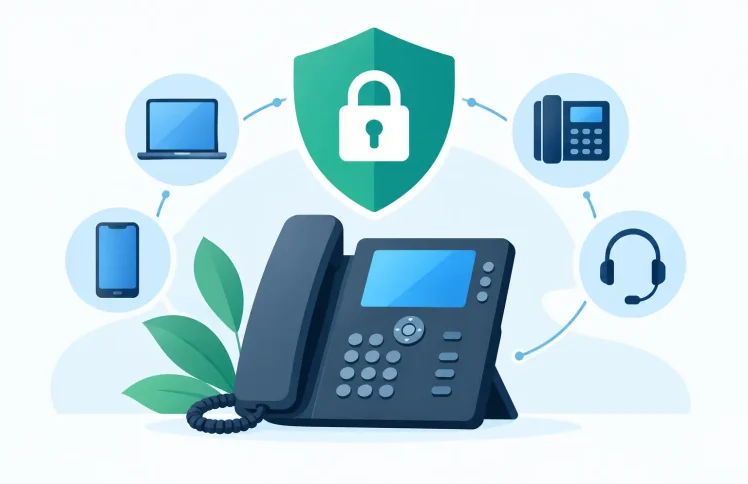
A compromised desk phone can do more than disrupt one employee. It can expose call audio, give an attacker a path into voice services, or generate expensive fraudulent calls overnight. Knowing how to secure VoIP endpoints means protecting every device and application that registers to your phone system – including desk phones, softphones, mobile apps, conference devices, and Microsoft Teams-connected users.
The good news is that endpoint security does not require a complicated, hardware-heavy project. The most effective approach is to make device access controlled, encrypted, visible, and easy to maintain. For small and midsize businesses, the right controls reduce risk without creating more work for the people who manage calls every day.
Start by Defining What Counts as a VoIP Endpoint
A VoIP endpoint is any device or application that connects to your PBX or calling service to make or receive calls. That includes a receptionist’s desk phone, a browser-based softphone, a mobile app used by a field technician, a conference room phone, and a Teams client connected to business telephony.
This definition matters because security gaps often appear at the edges. An IT team may secure the PBX server but overlook an old conference phone, a former employee’s mobile softphone, or a home-based user’s device that still has active credentials. Each registered endpoint is a potential entry point and should have an owner, a purpose, and a current configuration.
Maintain a simple inventory that records the device type, assigned user or location, extension, firmware version, and date it was last reviewed. You do not need a large asset-management project to get started. A current list makes it much easier to spot unknown registrations and remove devices that no longer belong on the system.
Protect Identity Before Protecting the Device
Most VoIP attacks begin with weak or exposed credentials. If an attacker can register an endpoint as a legitimate extension, they may place fraudulent calls, receive calls intended for that user, or attempt to reach other internal services.
Every endpoint should use unique credentials. Avoid shared SIP passwords for a department, a group of lobby phones, or a batch of newly deployed handsets. Shared credentials make troubleshooting harder and make it impossible to revoke access for one device without interrupting everyone else.
Use long, randomly generated passwords or authentication tokens, and never reuse an extension’s voicemail PIN as its registration password. Administrative accounts need even tighter control: separate admin access from everyday user access, limit the number of people with configuration rights, and require multi-factor authentication where the platform supports it.
For Teams-connected calling, identity protection also depends on the Microsoft 365 account. Apply your organization’s sign-in policies consistently, especially for administrators and remote users. A secured PBX cannot compensate for an unprotected user account that gives someone access to calling features.
Remove Access When Roles Change
Offboarding should include voice access, not just email and laptop recovery. Disable or remove the extension, revoke softphone and mobile app sessions, reset voicemail access where appropriate, and review call forwarding rules. This is particularly useful for shared departments such as sales, support, and operations, where calls may be routed through queues and ring groups after an employee leaves.
A periodic review also catches temporary accounts, test extensions, and devices assigned for short-term projects that were never removed.
Encrypt Signaling and Call Audio
VoIP has two primary types of traffic. Signaling controls the call – registration, dialing, ringing, and call routing. Media carries the actual audio. Both need protection.
Use TLS for SIP signaling and Secure RTP, commonly called SRTP, for voice media whenever your devices and carrier connections support it. TLS helps prevent credentials and call-control traffic from being read or changed in transit. SRTP encrypts the audio itself, reducing the risk of someone listening to calls on the local network or an untrusted connection.
Encryption does require planning. Older handsets may not support current TLS versions or may need a firmware update before they can use secure provisioning and encrypted calling. Replacing a small number of outdated devices is often less expensive than maintaining exceptions across the phone system.
Certificates are part of this process. Use trusted certificates, keep track of their expiration dates, and test renewals before they affect production calling. A certificate failure can look like a phone outage, so it belongs in the same operational calendar as license renewals, backups, and planned updates.
Put Voice Devices on the Right Network
A separate voice VLAN is a practical control for office-based phones. It keeps voice traffic apart from general employee and guest network traffic, improves call quality, and limits how easily a compromised device can move across the network.
Segmentation is not a substitute for authentication or encryption. It is an additional layer. A phone on a voice VLAN should still use unique credentials, encrypted signaling, and current firmware. But if one device is compromised, network separation can reduce the impact.
For remote workers, avoid exposing PBX management interfaces directly to the public internet. Remote endpoint registration should be handled through a secure architecture such as a properly configured session border controller, a secure access gateway, or a VPN where that fits the organization’s operating model. The best choice depends on scale and user experience. A VPN can work well for a smaller, managed workforce, while a session border controller is often better suited to larger deployments or organizations supporting many external devices.
Firewall rules should be narrow and intentional. Allow only the required signaling and media paths, restrict administrative access to approved networks or secure management connections, and disable unused services on phones and PBX servers.
Secure Provisioning So New Phones Do Not Create New Risk
Provisioning is where convenience and security need to work together. Manually entering account details into every handset is slow and creates room for errors. But a provisioning process that exposes passwords in email, spreadsheets, or unencrypted configuration files creates a different problem.
Use encrypted provisioning whenever possible, with device-specific configuration files and limited-use activation methods. QR-code provisioning can reduce manual setup for mobile and desk phone deployments, but the QR code should be treated like a credential. Do not leave it visible on a shared screen, include it in an open ticket, or reuse it beyond its intended device.
A centrally managed PBX helps here because administrators can create, assign, replace, and revoke endpoints from one interface. With Ayrix, for example, centralized provisioning and management can reduce the configuration work that often leads teams to take shortcuts. The objective is not simply faster deployment. It is making the secure process the easiest process to follow.
Keep Firmware, Apps, and PBX Software Current
VoIP phones are networked computers with microphones, web interfaces, operating systems, and remote management features. They need updates just like laptops and servers.
Create a regular update routine for desk phone firmware, softphone applications, mobile apps, PBX software, and supporting components. Review vendor release notes for security fixes, test important updates on a small group of devices when possible, then schedule a wider rollout.
Do not postpone every update because phones are business-critical. Delayed patches can leave known vulnerabilities available for months. At the same time, do not update blindly during peak call periods. A planned maintenance window with a rollback option is a sensible trade-off between availability and security.
Disable features you do not use, especially default administrator accounts, remote web administration, insecure provisioning methods, and legacy protocols. Fewer exposed services mean fewer opportunities for misuse.
Watch for Fraud and Unusual Endpoint Behavior
Security controls are strongest when someone can tell that they are working. Review call records and endpoint registrations for unusual patterns: repeated failed registrations, a user registering from an unexpected location, new devices appearing after business hours, or large volumes of international and premium-rate calls.
Set sensible calling permissions by role. A lobby phone may only need internal dialing and local outbound calls. A customer-service team may need domestic calling but not international destinations. Executives or international sales teams may need broader access. Restricting every user to the same permissions is easy, but it increases exposure and rarely matches how the business actually operates.
Set spending limits or call-volume alerts where available. These controls do not prevent every fraud attempt, but they can shorten the time between an attack and a response. Also protect outbound routing rules. An unauthorized change to forwarding, time conditions, or least-cost routing can create financial loss even if endpoint credentials remain intact.
Make Endpoint Security Part of Daily Administration
The most useful VoIP security process is one your team can repeat. Review active devices, check failed login and registration events, confirm backups are working, and test that former users no longer have access. When you add a call queue, open a new office, or issue mobile access to a remote employee, include endpoint permissions in the same request.
Security should support the way your organization answers customers, routes urgent calls, and keeps distributed teams available. When endpoint controls are built into provisioning, user management, and routine PBX administration, secure calling becomes a normal part of operating the phone system – not a separate project that gets delayed until after an incident.
 English
 Deutsch (Schweiz)