

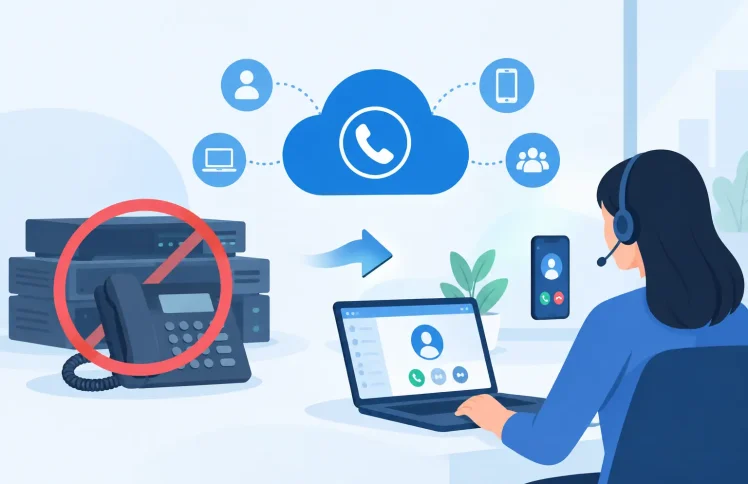
A phone system rarely fails all at once. More often, it becomes harder to change: a new employee needs an extension, a department changes its hours, or a customer-service team needs a better way to handle peak call volume. If every adjustment requires specialized hardware, outside support, or a complex configuration project, PBX modernization becomes an operational priority rather than a technical nice-to-have.
For small and midsize businesses, modernization is not simply replacing desk phones or moving voice traffic to the cloud. It is about making business calling easier to manage, more reliable for distributed teams, and more affordable as requirements change. The right approach gives administrators control over call routing, availability, users, and devices without forcing the business to buy capacity it does not need.
What PBX modernization actually changes
A traditional private branch exchange was built around physical equipment installed in an office or data center. That model can still work in organizations with stable locations, fixed staffing, and established call patterns. The challenge appears when the business needs more flexibility than the hardware and its configuration process can provide.
Modern PBX platforms move the intelligence of the phone system into software. Instead of relying on a proprietary appliance for every change, administrators use a central interface to manage extensions, departments, call queues, IVR menus, forwarding rules, business hours, and devices. The system can be self-hosted when control and local deployment matter, or operated in the cloud when the priority is reducing infrastructure work.
That distinction matters because a cloud deployment is not automatically better for every organization. A company with strict internal hosting policies, existing server capacity, or specific data-control requirements may prefer a self-hosted PBX. A growing company with limited IT resources may benefit from a hosted model with automatic updates and less maintenance. Modernization should preserve that choice rather than replace one rigid model with another.
Start with call handling, not technology labels
The most useful modernization projects begin with a practical question: what should happen when someone calls your business?
A caller may need to hear opening hours, select a department, reach an available agent, leave a message, or be redirected to an on-call employee. Those are business rules, not just phone features. When they are handled manually or through an outdated PBX, the result is often missed calls, inconsistent customer experiences, and staff who use personal mobile numbers to fill the gaps.
A modern system makes these rules visible and manageable. An IVR can guide callers to sales, support, billing, or a specific location. Time conditions can play a different message after hours and route urgent calls to an on-call number. Ring groups can alert several people at once, while queues distribute calls fairly when demand is high.
For a customer-service manager, the benefit is not the term “queue management.” It is knowing that callers are handled in a defined order, supervisors can see where demand is building, and agents do not have to guess who should answer next. For an operations leader, it means a holiday schedule or temporary closure can be changed in minutes instead of becoming a service problem.
Build for real availability
Modern availability is more complicated than whether a desk phone is plugged in. Employees may work from home, move between offices, take calls through Microsoft Teams, or use a mobile device during customer visits. The PBX should support those work patterns while keeping a consistent company number and a controlled call path.
This is where centralized rules matter. Calls can follow a user from a Teams client to a desk phone and then to a mobile device, based on the organization’s policies. Calendar-based availability can help direct calls around meetings or scheduled absences. Call forwarding should be easy to activate but governed well enough that customer calls do not disappear into unmanaged personal workflows.
The goal is not to make every employee reachable at all hours. It is to ensure callers have a clear route to the right person or team during the hours the business has chosen to support.
Integrate collaboration and telephony carefully
Many businesses already use Microsoft Teams for internal chat and meetings. Adding business telephony to that environment can reduce app switching and make calling familiar for employees. But Teams alone does not necessarily provide every business call-management function an organization needs.
A complete telephony design still needs department routing, IVR structures, queue logic, external number management, call supervision, reporting, and device administration. Buying separate extensions or relying on multiple tools can increase both cost and configuration effort. It can also make troubleshooting harder, because administrators must determine whether a problem sits with the collaboration platform, the phone system, or the connection between them.
A PBX platform that integrates Teams with enterprise call controls creates a more practical model. Users can make and receive calls in the interface they already know, while administrators manage the underlying routing and phone environment from one place. That approach works especially well for businesses that need Teams for staff collaboration but cannot compromise on professional customer call handling.
It still requires planning. Decide which users need full telephony features, which shared locations need desk phones, and which roles need mobile access. Not every employee needs the same configuration, and assigning the same costly package to everyone is one of the easiest ways for communications spending to grow without a clear benefit.
Replace manual administration with repeatable setup
Legacy PBX administration often depends on a small number of people who know the system well enough to make changes safely. That creates risk. If a key administrator is unavailable, a simple request such as adding a temporary extension or revising an auto attendant can wait longer than the business can afford.
Modern platforms reduce this dependency with a clear web interface, reusable call-flow modules, automated user management, and straightforward device provisioning. QR-code provisioning is a good example: instead of manually entering server settings into every supported phone, an administrator can prepare the configuration centrally and simplify activation for the user.
The practical benefit is consistency. A new branch, department, or remote employee can follow an established setup pattern. When a team needs a new queue or a revised menu, the administrator is working from visible rules instead of undocumented device settings.
Security remains part of this process. Centralized administration should include appropriate permissions, managed credentials, controlled access to configuration, and regular platform updates. Self-hosted deployments give organizations more control over their environment, but they also require a clear ownership model for updates, backups, and network security. Hosted deployments reduce some of that workload, though the organization still needs strong user access policies and a plan for number continuity.
Modernize in phases to control cost and disruption
Replacing every phone and every process at once is rarely necessary. A phased approach reduces risk and helps the organization validate call flows before broader rollout.
Start by documenting the numbers, departments, schedules, forwarding rules, and high-volume call paths that already exist. This step often exposes outdated routing rules, unused numbers, and exceptions nobody intended to keep. Next, build the essential call flows: main number, departments, business hours, after-hours routing, and emergency contacts.
Then test with a small user group. Include people who use different work styles, such as a receptionist, a remote employee, a manager, and a queue-based support agent. Their feedback will show whether the design works beyond an administrator’s test call. Once the core setup is stable, move additional teams, add devices, and introduce advanced functions such as supervisor monitoring, conferencing, dashboards, or detailed queue reporting.
Cost control should be part of each phase. Look for pricing that scales by the users, instances, and modules actually required. A small team should not have to buy an enterprise-sized communications package to get professional routing. At the same time, an organization with complex call flows should be able to add capacity without rebuilding the system.
Ayrix supports this model with a software-based PBX that can be deployed on premises or in the cloud, starting free for small teams and expanding through modular services as requirements grow.
Measure whether the new system is working
A successful project is visible in daily operations. Calls should reach the intended destination more consistently. Administrators should spend less time on routine changes. Employees should be able to work from the devices and locations that suit their roles without losing the structure of the company phone system.
Track practical signals: abandoned calls, queue wait times, missed-call patterns, call volumes by department, and the time required to complete common administrative tasks. A dashboard is useful when it leads to action, such as changing staffing during busy hours or simplifying an IVR menu that sends too many callers to the wrong place.
PBX modernization works best when it is treated as an ongoing operating model, not a one-time hardware replacement. Build a phone environment that reflects how your teams actually serve customers, then keep refining it as your business changes.
 English
 Deutsch (Schweiz)