

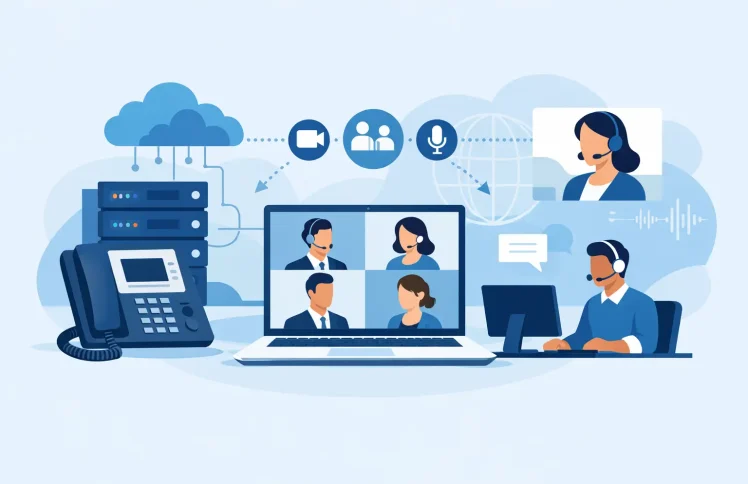
A customer calls during a busy Monday morning, three team members need to join the conversation, and no one should have to send calendar links, switch devices, or explain how to connect. That is where conference calling software earns its place in a business phone system. The right setup makes it easy to bring people together while keeping call handling, security, and costs under control.
For small and midsize businesses, conferencing is not only an internal meeting feature. It can support sales calls, technical troubleshooting, manager escalation, remote staff coordination, and conversations with customers who need an answer now. The best choice depends on how those calls enter your business, who needs to join them, and how much administration your team can realistically take on.
What Conference Calling Software Should Do
At a basic level, conference calling software allows multiple people to participate in one audio call. But business-grade conferencing should do more than create a shared line. It should work as part of your wider communications environment, with clear controls for participants, reliable call quality, and a simple way to manage access.
For example, an operations manager may need to add a field technician to a customer call without asking the customer to dial into another service. A support supervisor may need to join an agent’s call to help resolve a complex issue. A distributed team may need a recurring dial-in conference room that works from desk phones, mobile devices, and Microsoft Teams.
Those are different use cases, and they require more than a consumer meeting app. A business phone platform should let administrators decide how conferences are created, who can host them, whether callers need a PIN, and how the call is recorded or monitored when company policy requires it.
Start With the Call Scenario, Not the Feature List
Conference features can look similar on a comparison page. The practical difference appears when a real call needs to move quickly between people, departments, and devices.
Internal team collaboration
For internal calls, convenience usually matters most. Employees should be able to start or join a conference from the tools they already use, whether that is a desk phone, softphone, mobile device, or Microsoft Teams. Requiring a separate account, unfamiliar app, or complicated dial-in process creates friction for a feature that should save time.
If Teams is already central to daily work, look for telephony integration that connects Teams users to external calling, extensions, queues, and conferencing functions. This avoids forcing employees to choose between the collaboration tool they prefer and the business phone capabilities the company needs.
Customer and partner calls
External calls require a little more control. Customers and partners should be able to join without installing software or navigating a complicated registration process. At the same time, the business needs to prevent unauthorized access and avoid leaving conference rooms open after a call ends.
Useful options include host controls, participant PINs, waiting areas, mute controls, and the ability to remove a caller if needed. The correct level of restriction depends on the call. A public training session may need easy access for many participants, while a financial or healthcare discussion may require much tighter entry rules.
Escalations and live support
For support and service teams, conferencing should be connected to call routing. An agent who receives a call through a queue should be able to bring in a specialist or supervisor without sending the customer elsewhere. This keeps ownership of the issue clear and reduces the need for a customer to repeat the problem.
This is also where call supervision can matter. Managers may monitor or join calls according to internal policies, while team members receive help at the moment it is needed. Conferencing, queues, ring groups, and call forwarding work best when they are administered from one platform rather than pieced together across several services.
The Features That Affect Daily Use
Audio quality is essential, but it is only one part of a reliable conference experience. The best platform also makes common actions easy for employees and administrators.
Call controls should be available without a long learning curve. Hosts need to mute participants, add callers, end the conference, and transfer the call when appropriate. Participants need clear instructions for joining from external numbers, mobile devices, or internal extensions. If those tasks require specialist knowledge, the system will create unnecessary support requests.
Administration matters just as much. A web-based management interface should allow an IT administrator to create conference rooms, set access rules, assign permissions, and review usage without editing complex configuration files. Automated provisioning and simple user onboarding help keep the environment consistent as teams grow or change.
Availability is another practical consideration. Calendar-based presence and time conditions can help prevent calls from being routed to unavailable employees. A conference feature is more useful when it supports the same business rules as the rest of the phone system, including opening hours, holiday routing, call forwarding, and departmental queues.
Choose Deployment Based on Control and Resources
Businesses generally have two practical options: run the phone platform on their own infrastructure or use a cloud deployment. Neither is automatically better. The right answer depends on your security requirements, internal expertise, budget model, and operational priorities.
A self-hosted PBX can give organizations more direct control over their voice environment. It may suit businesses with existing infrastructure, internal IT resources, or specific data-handling requirements. It also gives administrators greater freedom to manage system changes on their own schedule. The trade-off is that the organization remains responsible for hosting, maintenance, backups, and capacity planning.
A cloud deployment reduces that operational burden. The provider manages the underlying environment, while the business focuses on users, call flows, and day-to-day administration. This can be a practical choice for organizations without dedicated telephony specialists or those supporting teams across multiple locations. The trade-off is that a cloud service should be evaluated carefully for security practices, uptime expectations, geographic availability, and pricing as usage expands.
Ayrix supports both approaches through a software-based PBX model, allowing businesses to begin with a small deployment and add cloud capacity, users, and modules as their needs become clearer.
Look Beyond Per-User Pricing
A low advertised user price does not always mean a low total cost. Conference calling can involve separate charges for phone numbers, calling minutes, recording, storage, international dialing, Teams telephony add-ons, or advanced administration features. Before selecting a platform, map the cost of the complete calling workflow.
Ask how many users need to host conferences, how many participants may join at once, and whether external callers will dial local or international numbers. Consider whether supervisors need monitoring tools, whether your company needs call recording, and whether queues or IVR menus are part of the same customer journey.
Modular pricing can be a better fit when a business needs advanced functions in only a few departments. A small office may only need basic conferencing and extensions, while a service team needs queue management, call-flow modules, and dashboards. Paying only for the functions each group actually uses keeps the phone system easier to budget.
Plan the Setup Around Real Workflows
A useful conference setup begins with a few decisions. Define who can create or host conferences, how external callers join, and what happens when a host is unavailable. Then test the process with the people who will use it most often, not only with the IT team.
Create a simple internal standard for common situations. For example, sales staff may use a dedicated conference room for customer demos, while support staff use warm transfers and supervisor escalation for active cases. A management team may use a PIN-protected bridge for recurring leadership calls. These rules do not need to be complicated, but they should be documented and easy to follow.
Test from every device employees rely on. A conference that works well from a desktop softphone but fails to provide clear controls on mobile creates problems for remote workers. Also test external joining instructions with someone outside the organization. If a customer cannot join on the first attempt, the process needs simplification.
When Conferencing Needs PBX Capabilities
Standalone meeting tools are useful for scheduled video meetings, but they may not solve business telephony problems. If callers enter through a main business number, need to reach the right department, or require help from multiple employees during one live conversation, conferencing needs to be connected to PBX functions.
That connection allows an IVR to direct callers, a queue to distribute demand, a ring group to reach the available team, and a conference to bring in the right people without losing the call context. It also gives administrators one place to manage users, devices, permissions, and reporting.
Choose conference calling software that matches the way your business already communicates, then keep the joining process simple enough that employees and customers can use it without thinking about the technology. That is when conferencing stops being another app to manage and becomes a dependable part of how your team gets work done.
 English
  Deutsch (Schweiz)