
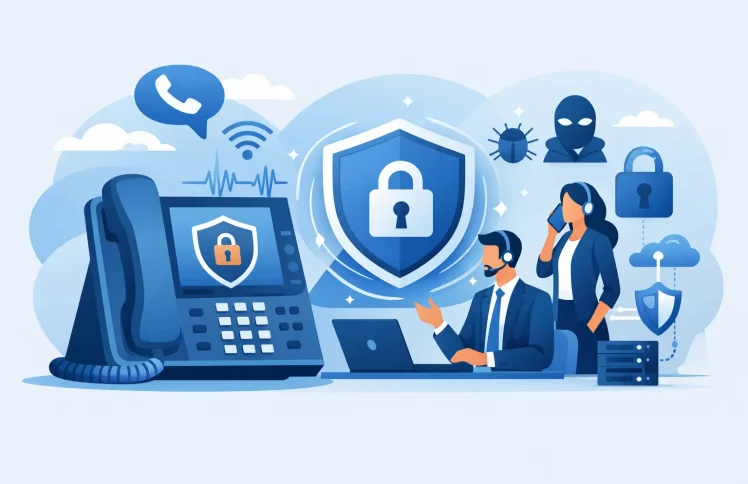
A business phone system can expose more than conversations if it is not managed carefully. A stolen voicemail password, an unprotected desk phone, or an account with unnecessary administrator rights can give attackers a route into customer information, call records, and expensive fraudulent dialing. VoIP security is therefore not an optional technical add-on. It is part of keeping your business reachable, credible, and in control.
For small and midsize organizations, the goal is not to build a complex security program around the phone system. It is to apply the right controls in the places where calls, users, devices, and administration meet. Whether you run telephony in the cloud, on premises, or across Microsoft Teams, the basics are practical and manageable.
What VoIP security needs to protect
Voice over IP turns calls into data traffic. That makes a modern PBX more flexible than traditional phone hardware: employees can answer calls in Teams, on a mobile app, or at a desk phone; managers can update an IVR or route calls from a web interface; and distributed teams can use the same extensions from different locations.
The trade-off is that the phone system has user accounts, network access, software updates, and permissions to protect. A useful VoIP security plan focuses on four areas: who can access the system, how call traffic travels, which devices may connect, and what happens when activity looks unusual.
The risks are not limited to someone listening to a call. Common incidents include toll fraud, where an attacker places costly international or premium-rate calls; account takeover through reused passwords; phishing that targets Teams or PBX administrators; and denial-of-service attacks that prevent legitimate calls from reaching your business. Misconfigured call forwarding can also send sensitive conversations to the wrong number without any attacker needing to break in.
Start with identities, roles, and strong sign-in controls
Most phone system incidents start with credentials or excessive access. Every person who manages call flows, numbers, users, recordings, or billing should have an individual account. Shared administrator logins may feel convenient, but they make it difficult to see who changed a routing rule or to remove access when an employee leaves.
Use multifactor authentication for administrator accounts and for any user portal that exposes voicemail, call records, forwarding settings, or contact information. A password alone is weak protection, particularly if employees use the same password across services. Require long, unique passwords and use a password manager rather than asking people to remember increasingly complicated combinations.
Role-based access matters just as much. A reception manager may need to change opening hours and an IVR greeting, while a supervisor may need queue dashboards and call-monitoring tools. Neither role necessarily needs permission to create administrators, change trunk settings, export all call records, or alter billing controls. Give each person the minimum access needed for their job, then review it on a regular schedule.
This is especially relevant when Teams and business telephony are connected. Teams ownership does not automatically mean someone should be able to manage external calling, queues, or PBX-wide configuration. Keep collaboration roles and telephony administration separate where possible.
Treat offboarding as a phone-system task
When someone changes roles or leaves, disable their phone-related access promptly. Remove mobile app registrations, web portal access, softphone credentials, and permissions to shared voicemail boxes or call recordings. Also check call forwarding rules and group memberships. An old extension that still forwards calls to a former employee is both a security and customer-service problem.
Encrypt calls and protect the network path
Encryption protects signaling and media in transit. In plain terms, signaling is the information that sets up and controls a call, while media is the audio itself. Your provider or PBX platform should support encrypted signaling and encrypted voice traffic so that calls are not easily intercepted on the network.
Encryption is most valuable when it is paired with sound network design. Keep voice traffic separate from guest Wi-Fi and unmanaged devices. A dedicated voice VLAN is often appropriate for offices with desk phones, while remote users should connect through protected internet access and managed applications. The exact design depends on your environment, but the principle is simple: a visitor’s laptop should not have the same level of network access as your phone infrastructure.
Do not expose PBX administration pages or SIP services broadly to the public internet unless there is a clear operational need and suitable protections are in place. Restrict access by network or VPN where practical, use firewalls configured specifically for your PBX, and disable services you do not use. Opening every port to solve a one-way audio issue may make calls work temporarily, but it creates a larger problem later.
Remote work requires balance. Employees need to take calls from home and on the road, yet unmanaged home routers and public Wi-Fi add risk. Prefer secure mobile and desktop clients, current operating systems, encrypted connections, and clear rules against administering the phone system from shared devices. For high-privilege administration, a VPN or trusted access method is usually worth the extra step.
Secure every phone, app, and integration
A desk phone is a network endpoint, not just a handset. Change default passwords, use supported firmware, and disable unused web interfaces or services. When possible, use secure, automated provisioning rather than manually entering credentials into devices. QR-code provisioning and centralized device management reduce typing errors and avoid distributing sensitive settings in email or spreadsheets.
Keep an inventory of every endpoint that can place or receive calls. Include desk phones, conference devices, softphone apps, mobile clients, common-area phones, and analog adapters. If a device is lost, replaced, or no longer used, remove its registration from the PBX.
Integrations deserve the same attention. Microsoft 365, CRM systems, calendar tools, recording platforms, and analytics services may all receive call-related data. Review what each connection can read or change, who owns it, and whether it is still required. An integration that was useful during a short project should not retain access forever.
Ayrix supports centralized management for call flows, users, and device provisioning, which can make these reviews easier than managing separate phone systems and configuration files across locations. Centralization is helpful, but it also means administrator protection and role design must be taken seriously.
Limit fraud before it becomes a bill
Toll fraud is one of the clearest financial risks in business telephony. Attackers look for compromised extensions, weak voicemail PINs, exposed SIP credentials, and permissive dialing rules. They often place calls outside business hours, targeting expensive destinations before anyone notices.
Start by allowing only the dialing patterns your business actually needs. If nobody should call premium-rate numbers, block them. If international calling is limited to a finance team or a few account managers, enable it only for those users. This can feel restrictive, but a small approval process is far cheaper than an unexpected carrier bill.
Set spending and call-volume alerts where your provider or platform supports them. Watch for repeated short calls, calls made overnight, high-cost destinations, failed registration attempts, and sudden forwarding changes. A good alert does not need to prove fraud. It simply needs to give someone enough time to investigate before the issue grows.
Voicemail also needs attention. Change default PINs, discourage easily guessed codes, and limit access to voicemail administration. If your system offers voicemail-to-email, confirm that messages are sent and stored according to your company’s data policies, particularly if callers share account details, medical information, or payment-related information.
Build simple monitoring and response habits
Security is easier to maintain when the checks are part of normal administration. Review administrator accounts, forwarding rules, dialing permissions, and connected devices at least quarterly. Review them sooner after staff changes, office moves, a new integration, or a major change to your call flow.
Logging is essential when something goes wrong. Keep records of administrative changes, login attempts, call detail records, device registrations, and configuration updates. Decide in advance who receives alerts and who is authorized to disable an extension, block a destination, or contact the carrier. During a fraud event or outage, uncertainty costs time.
You should also test the operational side of security. Can the team still receive essential calls if the main office internet connection fails? Can an administrator quickly redirect a queue to mobile phones? Are emergency calling locations accurate for users who work from different sites? Availability and safety are closely connected in business telephony.
Make security part of everyday call management
The best VoIP security setup is not the one with the longest checklist. It is the one your team can operate consistently. Use individual accounts, keep permissions narrow, encrypt traffic, update devices, restrict costly dialing, and review changes before they become surprises.
As your organization adds Teams users, remote employees, queues, mobile calling, and new locations, revisit those controls rather than assuming the original setup still fits. A phone system should make it easy to direct customers to the right person. It should be just as easy to see who has access, what they can change, and when a call pattern needs your attention.
 English
  Deutsch (Schweiz)