

A missed call at 4:55 p.m. can become a lost customer when the system cannot apply after-hours routing, send a caller to the right queue, or reach an on-call employee. That is the practical question behind hosted versus hardware phone systems: not which option sounds more modern, but which one gives your business dependable call handling without creating unnecessary work for IT.
The answer is rarely as simple as cloud good, hardware bad. A hosted system can reduce maintenance and speed up change. A hardware-based PBX can provide local control and continuity for organizations with specific security, network, or compliance requirements. The right choice depends on how your people work, how much control you need, and who will run the phone environment after deployment.
What Hosted and Hardware Phone Systems Really Mean
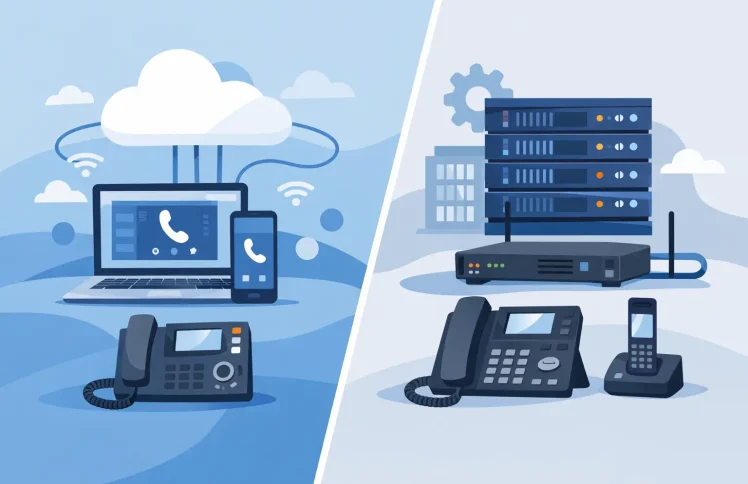
A hosted phone system runs the PBX platform in a provider-managed cloud environment. Your company uses internet connectivity to make and receive calls, while the provider operates the underlying servers, applies platform updates, and manages the hosting layer. Administrators typically configure users, call flows, IVRs, business hours, queues, and forwarding rules through a web interface.
A hardware phone system usually means an on-premises PBX appliance or server located at your office, data center, or other controlled site. Your organization owns or manages the infrastructure, even if a partner helps operate it. It may connect to SIP trunks, desk phones, mobile apps, and Microsoft Teams, but the call-control platform remains under your administration.
One distinction prevents a lot of confusion: desk phones are not the same thing as a hardware phone system. A business can use physical desk phones with either a hosted PBX or an on-premises PBX. The decision is about where the communications platform runs and who manages it.
Hosted Versus Hardware Phone Systems: The Core Trade-Off
Hosted services trade some direct infrastructure control for lower operational overhead. Hardware deployments trade more administration and upfront planning for greater ownership of the environment. Neither model automatically delivers better call quality, security, or features. Those outcomes depend on platform design, network readiness, configuration, and the team responsible for ongoing management.
For a growing business with limited IT resources, hosted deployment is often the faster route to a capable phone environment. Adding a new employee may be as simple as creating an extension, assigning a number, applying a calling policy, and provisioning a device with a QR code. A customer-service manager can adjust queue destinations or opening-hour messages without waiting for a PBX specialist to visit the office.
For an organization that operates its own servers, has strict data-location requirements, or needs telephony to remain within a tightly controlled private network, an on-premises deployment may be the better fit. This is common when a business already has experienced telecom administrators and a defined process for patching, backups, monitoring, and disaster recovery.
Cost: Upfront Investment Versus Ongoing Spend
Hardware systems tend to require a larger initial investment. Costs can include the PBX server or appliance, licenses, installation, redundancy equipment, backup storage, support contracts, and implementation services. The expense may be reasonable over time for a stable, well-resourced organization, but it should not be evaluated only as a one-time purchase. Hardware ages, software needs updates, and capacity planning returns whenever the business changes.
Hosted systems generally shift more of that expense into predictable monthly charges. This can make budgeting easier and reduce the financial risk of buying capacity before it is needed. However, hosted pricing varies widely. Review whether the provider charges separately for users, call-flow features, SIP trunking, number porting, storage, support, or Microsoft Teams telephony capabilities.
The most useful comparison is total cost of ownership over three to five years. Include the time your staff spends managing changes, maintaining infrastructure, troubleshooting failures, and coordinating upgrades. A lower monthly price is not always lower cost, and a purchased appliance is not automatically more economical.
Control, Security, and Compliance
An on-premises PBX gives the business more direct control over its software environment, access policies, network placement, and data handling. That can be valuable where voice records, call metadata, or administrative access must stay inside a defined environment. It also allows the IT team to align telephony with internal monitoring, identity management, and backup standards.
That level of control comes with responsibility. Someone must apply security patches, limit administrative access, review logs, maintain backups, and test recovery procedures. A system in your server room is only as secure and available as the processes around it.
Hosted providers take responsibility for operating and updating the hosting infrastructure, which can reduce the burden on internal teams. Before selecting one, ask clear questions about account permissions, encryption, data residency, backups, incident response, service availability, and how quickly support can assist during a call-routing problem. Hosted should mean managed, not opaque.
Reliability Depends on More Than the PBX
A local hardware PBX can continue to operate for internal calling during an internet outage, depending on the design. But external calling may still rely on SIP connectivity, and a single office can face risks from power loss, equipment failure, or a local network incident. Redundant power, secondary internet connections, and offsite backup plans matter.
A hosted PBX avoids having a single office server as the central point of failure. Employees can often continue calling from home, a mobile app, or another site if the office is unavailable. Yet every user still needs a reliable connection, and call quality depends on sufficient bandwidth, correct quality-of-service settings, and well-managed local networks.
The best resilience plan often uses a mix of measures: a secondary internet connection, mobile fallback, call forwarding rules for outages, and tested emergency routing. Ask how the system behaves when a site, user device, or connection fails. Do not wait for an outage to find out where calls go.
How Teams and Hybrid Work Change the Decision
For businesses using Microsoft Teams, the phone system should extend Teams rather than force employees to work across disconnected tools. Staff may need to take calls in Teams while customers still require familiar business functions such as auto attendants, department menus, queues, ring groups, time conditions, and supervisor monitoring.
A hosted model can be especially convenient for distributed teams because extensions, devices, and routing rules are managed centrally regardless of location. An on-premises deployment can also support Teams, but it requires the organization to maintain the integration and associated infrastructure.
Look beyond the basic ability to place calls from Teams. Determine how easily an administrator can create an IVR, route calls based on calendar availability, set queue overflow rules, monitor agent calls, or redirect callers during an unexpected closure. Those are the controls that turn a calling tool into an operational phone system.
A Practical Way to Choose
Start with the operating reality, not a feature checklist. A 12-person company with remote staff, no dedicated voice engineer, and frequent hiring is likely to benefit from hosted management and modular pricing. A regional business with several sites may also prefer cloud administration, provided its network and internet redundancy are ready.
An organization with an internal data center, formal security controls, experienced administrators, and a requirement to retain direct control may prefer an on-premises deployment. This is particularly true if the business already has established processes for maintaining critical applications.
Then test each option against the questions that affect day-to-day service:
- Can a non-specialist update business hours, greetings, and call destinations safely?
- What happens to incoming calls if the main office loses internet or power?
- How are new users and desk phones provisioned, and how long does that take?
- Which costs rise as users, locations, or call volumes grow?
- Can the system support Teams, mobile users, queues, IVR menus, and reporting without expensive add-ons?
A platform that offers both self-hosted and cloud deployment can reduce the pressure to make an irreversible choice. For example, Ayrix lets smaller teams start with a self-hosted PBX and gives organizations a cloud option when provider-managed hosting better matches their resources. The goal is not to buy every feature on day one. It is to create a phone environment that can add routing, supervision, capacity, and integrations when the business actually needs them.
Avoid Treating Deployment as a Permanent Identity
Hosted and on-premises are deployment decisions, not competing philosophies. A business may choose hosted service for customer-facing teams while retaining specific communications functions on premises. Another may begin with a local deployment and move to cloud hosting after expanding across locations. What matters is whether the platform keeps call handling clear, administration manageable, and costs visible as requirements change.
Before signing a contract or purchasing equipment, map three real call journeys: a new customer reaching sales, an urgent caller reaching after-hours support, and a high-volume period reaching a service queue. The better phone system is the one that handles those moments reliably while leaving your team in control of the next change.
 English
  Deutsch (Schweiz)