

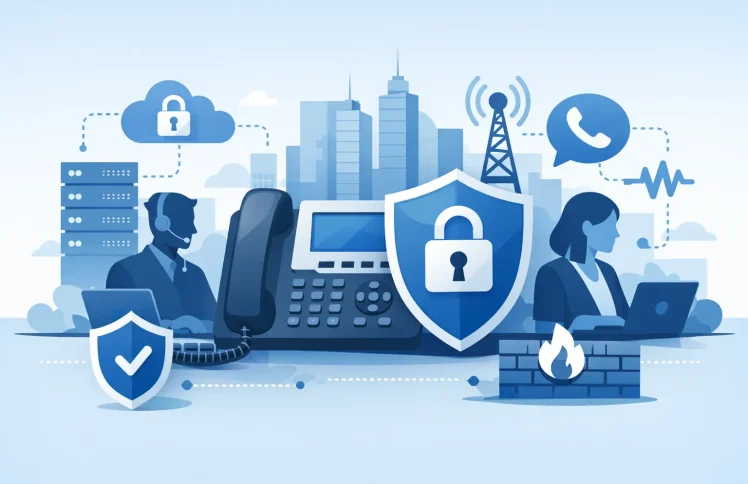
A phone system can be the easiest way into a business when it is treated as a basic utility instead of a managed service. A compromised extension can place expensive international calls, a weak admin account can expose call records, and a poorly protected IVR can send customers to the wrong place. This enterprise telephony security guide focuses on the controls that reduce those risks without turning everyday PBX administration into a specialist project.
For small and midsize organizations, the goal is practical: keep calls available, protect customer and employee information, and give administrators clear control over who can change routing, users, devices, and carrier settings. The right approach depends on whether the PBX runs on premises, in the cloud, or in a hybrid environment, but the security fundamentals are the same.
Start with the telephony risks that affect your business
Telephony security is broader than encrypting a call. It includes the people who can administer the system, the devices that register to it, the networks that carry voice traffic, and the rules that decide where calls go. A secure platform can still create problems if an old employee account remains active or a call-forwarding rule is changed without review.
The most common incidents are not always sophisticated attacks. Toll fraud occurs when an attacker gains access to an extension, trunk, or voicemail account and places chargeable calls. Account takeover can expose call history, recordings, voicemail, and customer details. Denial-of-service activity can overwhelm a public-facing SIP service, while a routing error may block a support line during business hours.
Prioritize risks by business impact. A customer-service team with high inbound volume should focus heavily on queue availability, IVR protection, and fast fallback routing. A distributed sales organization may need tighter controls around mobile devices, softphones, and call forwarding. Organizations handling sensitive conversations should also consider encryption, recording access, and retention requirements.
Control administrative access first
The PBX administrator account is the highest-value target in most voice environments. It can create extensions, reset credentials, alter dial plans, connect trunks, and redirect calls. Protect it accordingly.
Use individual administrator accounts rather than one shared login. Shared credentials make it difficult to know who changed an IVR menu or enabled international calling, and they are often left unchanged long after staff responsibilities shift. Require strong, unique passwords and multi-factor authentication wherever the deployment supports it.
Role-based access keeps daily work manageable. A help desk user may need to reset a phone or update a name, while a telecom manager needs access to queues, ring groups, and time conditions. Neither role necessarily needs permission to edit carrier credentials or export call data. Grant the minimum access needed, then review privileged roles at regular intervals and immediately after staff changes.
Administrative access should also be limited by network location when possible. If the management interface does not need to be public, keep it behind a VPN or allowlist approved IP addresses. For cloud deployments, use the provider’s access controls and ensure administrators do not manage the system from unmanaged personal devices.
Protect extensions, devices, and provisioning
Every extension is an identity on the phone system. Treat its registration password or authentication token like any other business credential. Use unique, high-entropy secrets for SIP registrations, avoid predictable extension-based passwords, and never reuse credentials across devices.
Automated provisioning can improve security as well as save time. A controlled provisioning process lets administrators assign approved desk phones, apply standard settings, and replace devices without emailing credentials or configuring each handset manually. QR-code provisioning, for example, can reduce copying errors while keeping setup within an approved workflow.
For desk phones and softphones, remove accounts that are no longer in use and maintain an inventory of assigned devices. A phone left on a former employee’s desk, a softphone still logged in on an old laptop, or an unused conference-room extension can become an overlooked entry point.
Remote workers need an approach that fits their environment. A VPN may be appropriate for some on-premises deployments, while a properly secured cloud service can reduce the need to expose PBX infrastructure directly to the internet. The trade-off is operational: stricter network controls can add support effort, so test voice quality and device registration before standardizing the policy.
Secure call traffic and the network around it
Voice traffic should not be an unprotected side channel on the corporate network. Use encrypted signaling and media where supported, typically TLS for signaling and SRTP for audio. Encryption helps protect calls from interception, but it does not replace identity controls, firewall rules, or monitoring.
Separate voice traffic from general user traffic when your network design and budget justify it. A dedicated VLAN and quality-of-service policy can improve call quality while reducing unnecessary exposure between devices. This is especially useful in offices with many unmanaged endpoints, guest Wi-Fi, or bandwidth-heavy applications.
At the network edge, do not expose more services than necessary. Restrict SIP access to known carriers, session border controllers, remote users, or approved IP ranges. Disable unused services and ports, keep firewall rules documented, and review them after major changes. A rule created for a temporary test phone often survives longer than the test itself.
If your business uses Microsoft Teams alongside desk phones, mobile clients, and a PBX, map the full call path. Security gaps often appear at the handoff between platforms, not inside either platform alone. Confirm which system owns user identity, where external calls enter, who can modify routing, and how logs are retained.
Put fraud controls into the dial plan
Toll fraud prevention should be built into call permissions, not handled only after a surprising invoice arrives. Limit outbound calling by extension, department, or location. A lobby phone may need local calling only, while an executive assistant may need international access. One global permission level is simple, but it gives every compromised extension the same spending power.
Use dialing rules to block destinations that are not required for your business, including premium-rate or high-risk international ranges. Set reasonable concurrent-call limits and spending or usage alerts with your carrier when available. After-hours outbound patterns deserve particular attention because fraud often begins when no one is watching the system.
Call forwarding needs similar guardrails. It is useful for remote work and after-hours coverage, yet unrestricted forwarding can send customer calls to unknown external numbers. Require appropriate permissions to create external forwarding rules, make those rules visible in the administration interface, and review them after employee or schedule changes.
Make IVR, queues, and voicemail safer by design
Customer-facing call flows are part of the security boundary. An IVR should provide helpful choices without exposing internal extension numbers, employee schedules, or other information that helps social engineering. Keep menus current, remove old departments, and test time conditions around holidays and daylight-saving changes.
For queues and ring groups, define fallback behavior before an outage occurs. If no agents are available, should the call go to voicemail, an overflow team, an external answering service, or a recorded message? The best choice depends on the service level your customers expect, but an intentional fallback is safer than an abandoned call path.
Protect voicemail with unique PINs, lockout controls where available, and a policy for sensitive messages. Email notifications are convenient, but voicemail attachments and transcripts may fall under the same data-handling rules as other customer records. Decide who can access shared mailboxes, recordings, and supervisor tools, and set retention periods that match business and compliance needs.
Monitor changes, not just outages
A system can be online while still being compromised. Monitor failed registration attempts, repeated password failures, unusual outbound destinations, changes to forwarding rules, new administrator accounts, and unexpected modifications to trunks or dial plans. Alerts should go to people who can act on them, with a clear escalation path for after-hours events.
Keep logs long enough to investigate an incident and ensure system clocks are synchronized. Useful logs answer basic questions quickly: who made the change, when did it happen, which extension was involved, and what destination was called? Call detail records, audit logs, device events, and carrier reports are more valuable when reviewed together.
Regular testing matters. Try a disabled user account, verify that blocked dialing is truly blocked, place a test call through overflow routing, and confirm backups can restore the configuration. Update PBX software, phone firmware, and supporting systems on a planned schedule. Delaying every update reduces short-term disruption, but it increases the time known vulnerabilities remain open.
Build security into daily administration
The most effective enterprise telephony security guide is one that becomes part of normal operations. Use an onboarding checklist for new users, an offboarding checklist that removes extensions and forwarding rules, and a change process for routes that affect customer calls. These routines prevent the small oversights that create larger exposure later.
A centrally managed, software-based PBX can make this easier by bringing users, devices, call flows, and permissions into one administration view. Ayrix is designed around that practical control, with flexible on-premises or cloud deployment and tools that reduce manual configuration work.
Start with the account that has the most power, the call route that matters most to customers, and the outbound permission that could cost the most if abused. Improving those three areas first gives your phone system a safer foundation while keeping it simple enough to run every day.
 English
  Deutsch (Schweiz)