
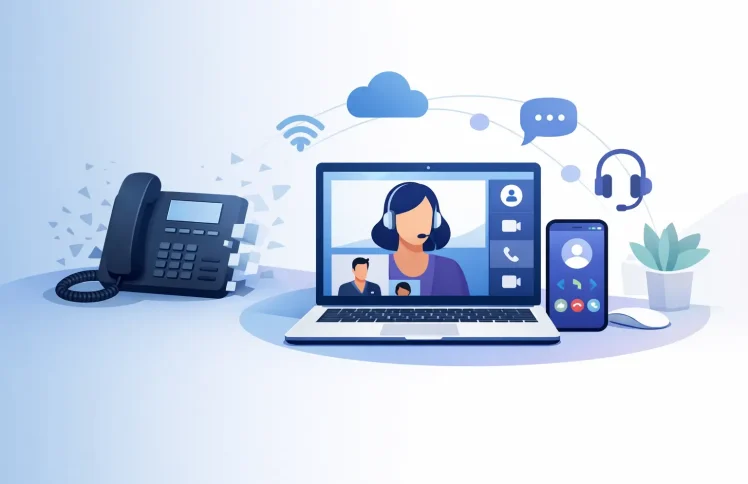
A desk phone on every employee’s desk used to be the default answer to business calling. But for teams that now work across offices, home locations, mobile devices, and Microsoft Teams, that model can create more cost and administration than value. A Teams deskphone replacement is not simply a matter of removing handsets. It is a chance to decide how calls should reach people, how customers are routed, and which devices employees actually need.
For many small and midsize businesses, the best replacement is a software-based phone environment that combines Microsoft Teams with PBX functions such as call queues, IVR menus, forwarding rules, business hours, and reporting. The goal is not to force every employee into the same setup. It is to give each role a practical way to make and receive business calls while keeping administration centralized.
Why desk phones are no longer the only business option
A traditional desk phone is reliable and familiar, particularly for reception teams, call centers, and staff who spend most of the day at a fixed workstation. It also has limitations. Every move, change, and new hire may require physical setup, device inventory, extension programming, and support work. If employees work remotely, the phone system may need additional hardware, VPN planning, or separate mobile solutions.
Microsoft Teams changes the user experience because the application is already where many employees chat, meet, and collaborate. When business telephony is connected to Teams, users can place and receive calls from their computer, mobile device, or compatible desk device using the same business identity.
That does not mean every physical phone should disappear. A front desk, warehouse floor, lobby, conference room, or regulated environment may still need a dedicated device. The more useful question is whether a handset is necessary for each person, or whether it is being retained because the old phone system requires it.
What a Teams deskphone replacement should include
Replacing devices without replacing the call-handling logic creates a poor customer experience. A business phone environment needs more than a dial pad. It needs a clear way to direct calls, manage availability, and keep teams reachable when plans change.
Business numbers that follow the right people
A main number should not depend on one receptionist being at one desk. With a PBX connected to Teams, an incoming call can follow rules based on the time of day, caller choice, department, or employee availability. During business hours, a caller may hear an IVR menu and select sales, support, billing, or an operator. After hours, the same number can play a closing message, offer an emergency option, or forward selected calls to an on-call team.
This matters when a business replaces desk phones because it removes the assumption that a call must ring at one physical extension. Calls can ring a Teams user, a group of users, a mobile destination, or a queue with a defined escalation path.
Queues and ring groups for shared calls
Shared inbound calling is where simple Teams calling arrangements often need more structure. A support team may need calls distributed fairly, a sales team may need calls to ring several people at once, and a small office may want the first available person to answer the main line.
Queues and ring groups make these rules visible and manageable. Administrators can define who receives calls, how long each ringing step lasts, where unanswered calls go, and what happens when nobody is available. This is more dependable than asking staff to manually forward calls before they leave for the day.
For customer-facing teams, consider the caller’s experience as well as the employee’s. A queue can provide a helpful message or estimated handling approach, while supervisors can monitor activity and adjust staffing based on call volume.
Flexible devices without separate phone systems
A Teams deskphone replacement can support different device preferences from one centrally managed phone environment. An employee may use a headset with Teams at a laptop. A field technician may use a mobile phone. A receptionist may use a dedicated desk phone with physical buttons. All can be connected to the same extension plan and call-routing rules.
This flexibility reduces the need to operate one system for desk phones, another for mobile calling, and a third for collaboration. It also helps businesses avoid buying devices for employees who rarely make or receive external calls.
The trade-off is that device choice should be intentional. Staff handling high call volumes may work faster with a quality headset, visible status controls, and a quiet workspace. Employees who answer occasional calls may need nothing beyond the Teams app. A dedicated phone remains a sensible option where computer access is limited or a physical endpoint is operationally necessary.
Plan the replacement around call flows, not equipment
The strongest implementations begin with a map of real call activity. Before selecting devices or assigning licenses, document the numbers people call, the departments that answer them, the times calls arrive, and the exceptions that matter.
Start with the main business number. Identify how callers reach sales, service, accounts, and reception. Then document overflow rules: What happens if the first team does not answer? Should calls go to another group, a voicemail box, an on-call mobile number, or a callback queue? Finally, review holiday schedules, lunch coverage, and temporary closures. These are small details until a customer reaches the wrong message or cannot get help.
A modern PBX makes this practical through a web-based interface rather than manual configuration on individual phones. Administrators can build call flows, update opening hours, add users, and change routing from one place. QR-code provisioning can also reduce setup work for supported devices, which is particularly useful when shipping phones to remote employees or opening a new location.
Control cost by matching features to each role
The financial case for replacing desk phones is not only about the cost of handsets. Businesses should consider device replacement cycles, maintenance, onboarding time, telephony add-ons, and the cost of keeping separate communication tools in place.
A software-based PBX can lower infrastructure requirements because the call-control functions are managed in software rather than dependent on a large on-site hardware installation. Cloud deployment can reduce local maintenance, while a self-hosted option can suit organizations that need more direct control over their environment.
Still, cloud versus on-premises is not a universal choice. A cloud model is often the faster path for distributed teams that want automatic updates and minimal infrastructure management. Self-hosting may be the better fit when internal policies, network design, or data-handling requirements call for local control. The right platform should let the business choose without forcing it to rebuild its call flows later.
Modular pricing is equally important. A five-person office should not pay for enterprise-scale capabilities it will not use, while a growing support operation should be able to add queues, additional extensions, reporting, or call-flow capacity when needed. Ayrix is designed around this approach, combining Teams integration and PBX functions with a free starting point for small teams and scalable cloud or self-hosted deployment.
Make administration easier for IT and operations
Replacing desk phones should reduce tickets, not create a new layer of telephony complexity. The practical test is whether an administrator can answer routine questions quickly: Who is in the support queue? Where do missed calls go? Which message plays on a public holiday? Is the sales line forwarding correctly? Which users are available to receive calls?
A centralized dashboard gives IT and operations teams a better view of those answers. It also supports more consistent changes. Instead of modifying settings one device at a time, an administrator can update a ring group or time condition once and apply it across the relevant call path.
For teams with customer-service responsibilities, call supervision tools can add another layer of control. Managers may need to observe activity, support an agent during a difficult call, or review patterns that point to staffing gaps. These capabilities should be easy to enable for authorized users and governed by clear internal policies.
Security and continuity also deserve attention. Use role-based administration, protect account access, define who can change call-routing rules, and test your failover plan. A phone system is most valuable when it continues to direct customers appropriately during an internet outage, staffing issue, or unexpected office closure.
A practical rollout approach
A phased rollout usually creates less disruption than switching every number and user at once. Begin with a small group that represents common working patterns, such as an office employee, a remote employee, a mobile worker, and a receptionist. Test call quality, caller ID, voicemail, transfers, business-hours routing, and device setup before expanding.
Then move a department or location at a time. Give users a short explanation of how to answer, transfer, park, and return calls in their chosen setup. The technology may be straightforward, but employees need confidence that they can help a customer without searching for instructions mid-call.
Keep a small number of dedicated desk phones where they improve service. Replace the rest with a communications setup that follows the employee, not the desk. When calling, routing, and administration are designed together, the business gains a phone system that can adapt as its teams, hours, and customer needs change.
The useful outcome is not an office with fewer handsets. It is a business where every important call has a clear path to the right person, wherever that person happens to be working.
 English
  Deutsch (Schweiz)